Your Document Emergency Room

You can count on Copy Doctor to handle your document emergencies! We have the latest, high quality, digital equipment. Our experienced staff is passionate about customer service and will always make the process of designing and printing your materials as efficient and effortless as possible.
Showing posts with label posters. Show all posts

Thursday, April 26, 2012

Glossy or Matte?


Have you heard us ask you glossy or matte when you ordered your color copies or posters?  Have you ever wondered which one is better?  The answer is both!  The choice is determined by the purpose of the print or just by your personal preference.

As you probably know from developing your photos (back in the olden days - smile), glossy paper is shiny and more eye catching.  It gives the impression of being high quality.  The colors appear more vibrant and rich.  Glossy is often the choice when producing marketing materials because it is an attention grabber.

Matte paper has a dull, no gloss finish, and gives printed pieces a more artistic or sometimes textured look.  Matte finish is more easily read in most situations and lights.  Matte finish is often chosen for art projects, for black and white photography, or when the print with be framed behind glass.  Matte finish also wears best over time because it is less likely to show finger prints or to attract dust.

Both finishes have cons.  Items printed on gloss can be hard to read in bright light. Gloss will sometimes stick to glass if the item has been framed.  And gloss finished papers attract dust and fingerprints.  The downside of matte finish is that it is less likely to attract attention.  And colors are less vibrant than those printed on gloss.

Can’t make up your mind?  We have samples of both papers and examples of projects printed on them.  Stop by today and let our experts help you chose the right finish for your project!


Friday, June 3, 2011

We love getting new stuff!!

Our New Toy!
Don't you? We just installed a NEW HP Designjet L25500 Printer!  It is the coolest thing.  Oh, the possiblilities! 

This machine uses UV resistant, eco-solvent inks, which reduce the impact of printing on the environment.  What this means for you is that your banners will hold up indoors or outdoors.  The ink wont run or fade.  Rain?  No problem! 

It prints up to 60 inches wide.  Need a 5ft tall banner?  No problem!

The colors are amazingly vivid.  

Retractable Banner $295 

We are so excited that we are offering 50% OFF vinyl banners for the entire month of June.

Call us today!  281-482-7500

Friday, February 25, 2011

Do you Need to Bleed?


On of the most often used element of design is a bleed.  What is a bleed?  It is any part of your graphics that comes right off the edge of your page.

Just like your home printer, all of our copy machines and presses leave a white margin on the paper.  To achieve a bleed, we must use paper which is larger than your finished size.  For example, an 11x17 print with a bleed must be printed on 12x18 paper, and then cut down to 11x17.  Including a bleed in your design will usually increase the cost of your print job, but materials printed with bleeds are simply more visually attractive and professional looking than materials printed without bleeds.

Art with Crop Marks.  The area outside the dotted line will be trimmed.
The secret to success with your design that will bleed is to place the elements so that they overlap the border edge of your page by ¼ inch.   Then, when you create your PDF file that you will send to us for printing, use the option to show printer marks or crop marks.  Most design software has this capability.  You will not see the crop marks until you open the exported PDF file.

If you are using design software that does not have this option, design your document ½ inch taller and wider than the finished page will be.  For example, if you want your document to be 8.5x11 after it is printed and trimmed, design it 9x11.5, making sure there is no text or necessary image in the additional .25 inch margin.

Finished art after trimming.
After we finish cutting down your prints, none of the printer marks or crop marks will be visible.  You will simple have a beautiful, high-quality print.

Friday, December 31, 2010

Have you met Sondra?

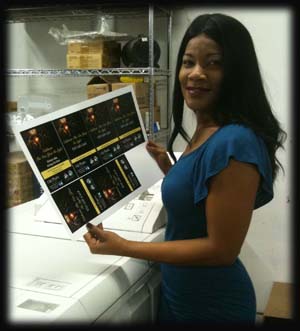
Meet Sondra Broussard, our Commercial Account Manager. What is a Commercial Account Manager? Sondra’s job is to make Copy Doctor feel like just another department within your company. Her passion is getting to know you, your business, and your printing needs. She strives to meet your budget and deadlines. Her goal is to make your job easier. Really.

Sondra is available to come to your office so you never have to leave it. She consults on your projects and offers suggestions to make them efficient and cost effective without sacrificing quality. She can help you refine your vision if you are just not sure how to make it happen. She will save you money by suggesting the right paper, layout, and finishing methods. She delivers a proof for your approval before she submits your job for printing. She prints only what you need and then makes sure your files are stored for easy reorder whenever you need them. She will never oversell you. Sondra then follows your job thru the shop; quality checking it, before making sure it is delivered to you on time. Your deadlines are her deadlines and she will help you in those times of stress.

Don’t have a project just yet? Sondra would still love to come to your office and meet you and your team. Sondra knows that choosing a printer is the same as choosing a business partner. Invite Sondra to come by now and get to know you and your company, and she will tell you what she and Copy Doctor can do for you.  Then when you need her, she will be there.  Email Sondra at Sondra@copydr.com, or call her directly at 832-567-6229.